

Your profile and password
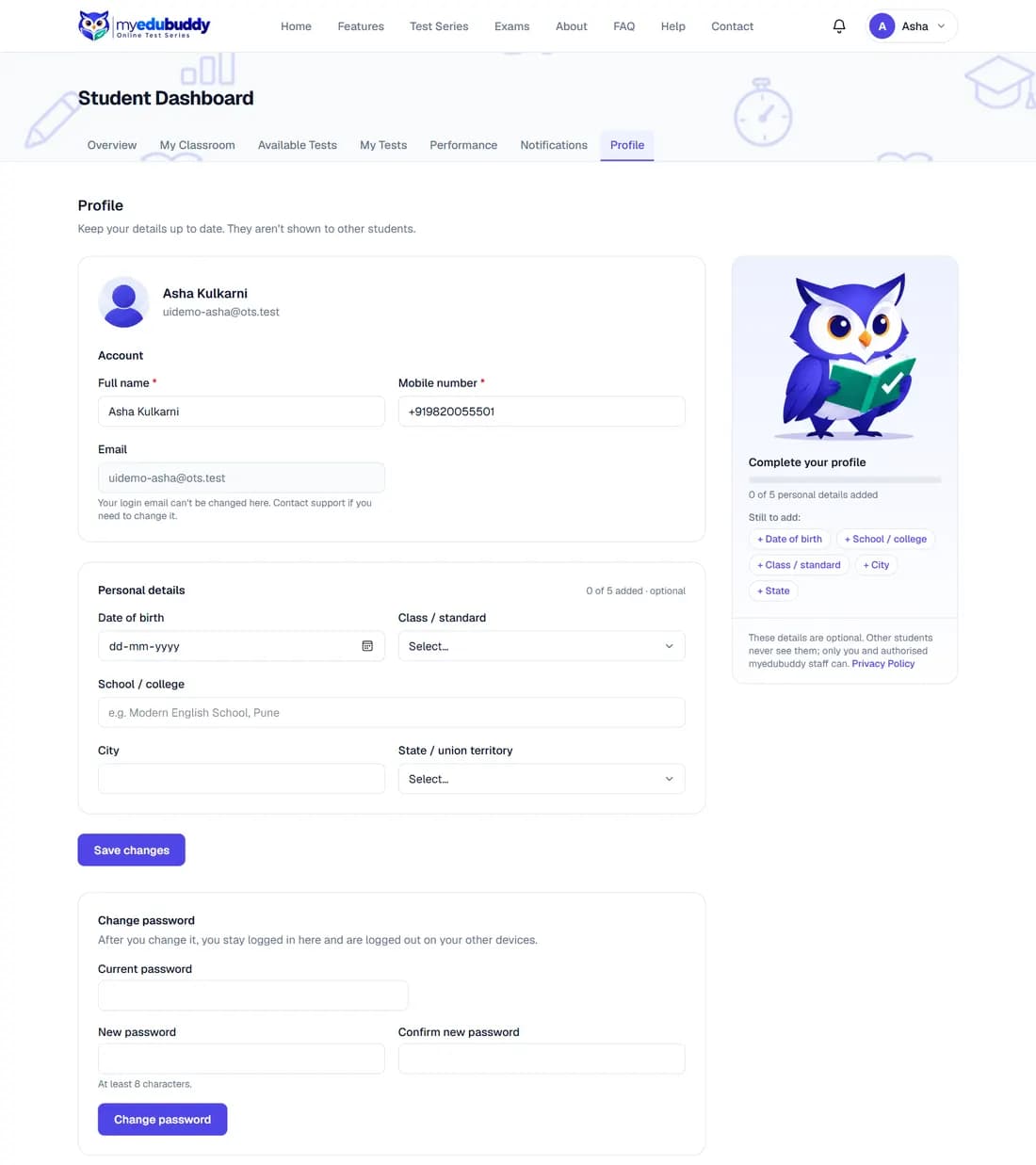
Open Profile from the dashboard tabs or from your account menu at the top right. There you can change your name and mobile number and add optional details (date of birth, class, school, city, state). Other students never see them. Your login email cannot be changed here.
To change your password, fill the three boxes under Change password and select Change password. You stay logged in on this device and are logged out everywhere else.
Greetings and news by email switches off (or back on) the occasional festival greetings and news about new myedubuddy test series. The Unsubscribe link at the bottom of such an email does the same. Emails about your account, such as password resets, always arrive.
To delete your account, select Delete my account… under Delete account, type your password and confirm. If your account is linked to Google (see Sign in with Google), you can instead choose your Google account again to confirm; you need no password. In the Android app, open Profile and select Delete my account. Your profile, papers, answers, results, enrolments, homework and its files are deleted at once and cannot be brought back. Messages you wrote in a classroom stay, shown as written by "Deleted student". You can sign up again later with the same email; the new account starts empty. If you cannot log in, see myedubuddy.com/delete-account.
Still stuck? Write to us or read the FAQ. This page follows the User Guide of 22 October 2026.