

Reactions and messages
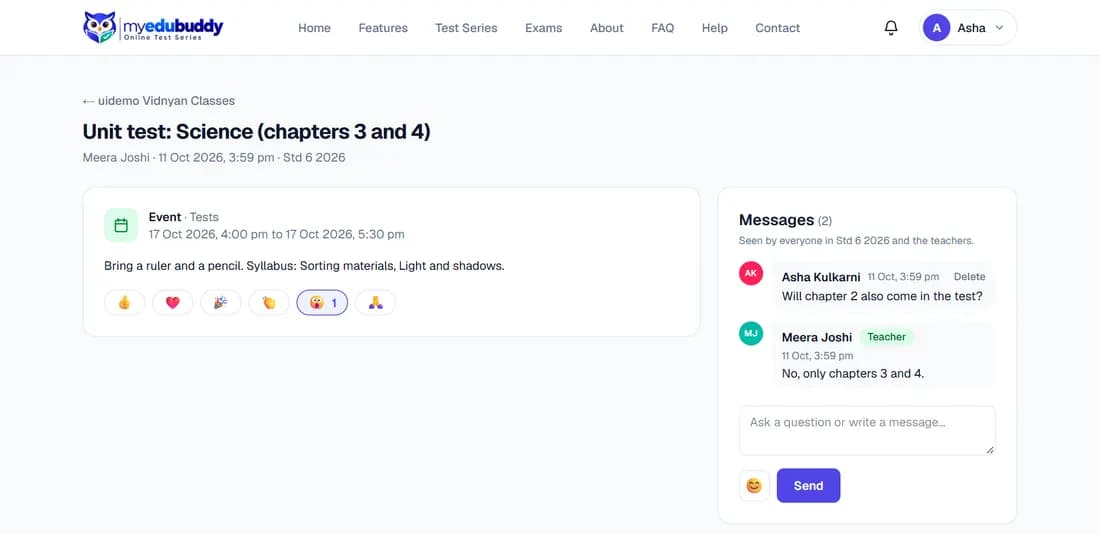
- React: select one of the six emojis under a post. Select it again to remove it, or another to change it.
- Write a message: type in the box under Messages, use the smiley button to add an emoji, and select Send.
- Delete: you can delete your own messages. Teachers can delete any message.
- Report: if a post or someone's message breaks the Classroom Code of Conduct, select Report beside it (or Report post at the top), choose what is wrong and select Send report. The teachers of your batch are told; your name is not shared with the person you report.
Messages with offensive language, in any language, are not sent: you are asked to rephrase them. If a teacher has muted you, you can still read posts, hand in homework and take quizzes, but you cannot write messages in that batch until the teacher unmutes you.
Note: Messages are seen by everyone the post was shared with, and by the teachers. Do not write anything private in them. The full rules are in the Classroom Code of Conduct (myedubuddy.com/classroom-guidelines).
Still stuck? Write to us or read the FAQ. This page follows the User Guide of 22 October 2026.