

Hand in homework
- Step 1: Open the homework. Read the instructions and open any attached worksheet.
- Step 2: Under Your work, select + Add your work and choose photos of your pages or a PDF. Each file can be up to 10 MB, six files at most.
- Step 3: Add a note to your teacher if you want.
- Step 4: Select Hand in.
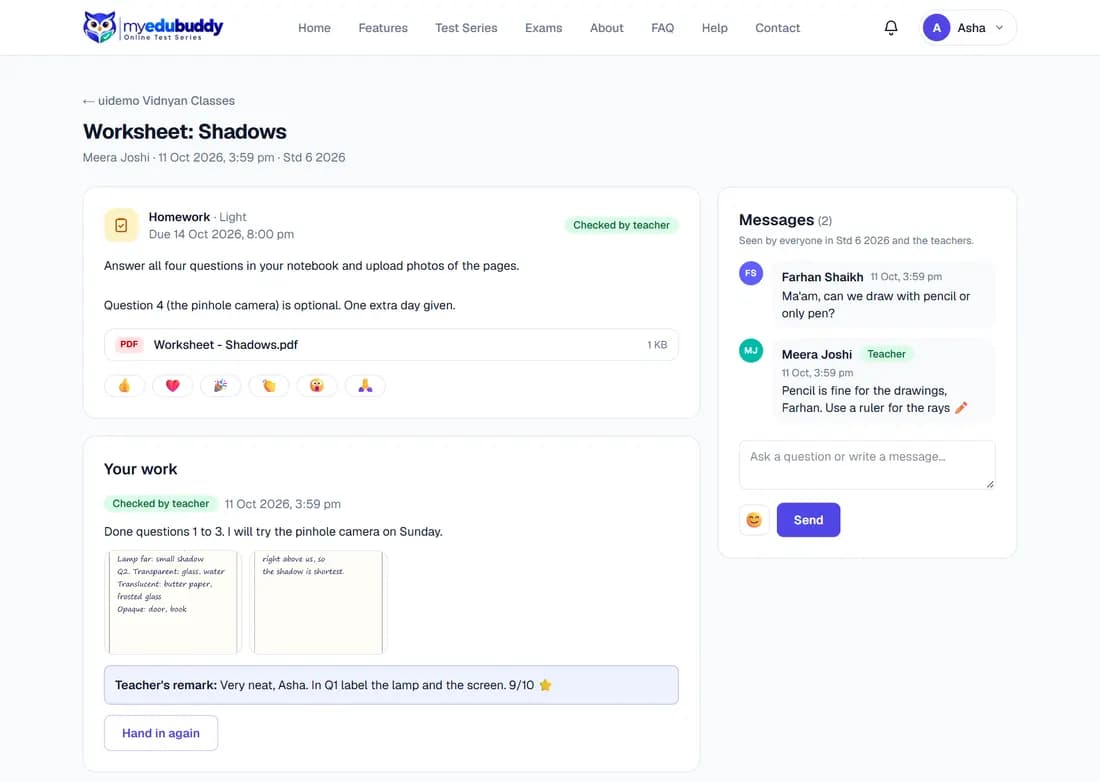
The label changes from Not handed in to Handed in. Select Hand in again if you need to replace your work.

When the teacher has checked it, the label reads Checked by teacher and the teacher's remark appears under your work. Only you and the teachers see your work and the remark.
Still stuck? Write to us or read the FAQ. This page follows the User Guide of 22 October 2026.