

Find a paper
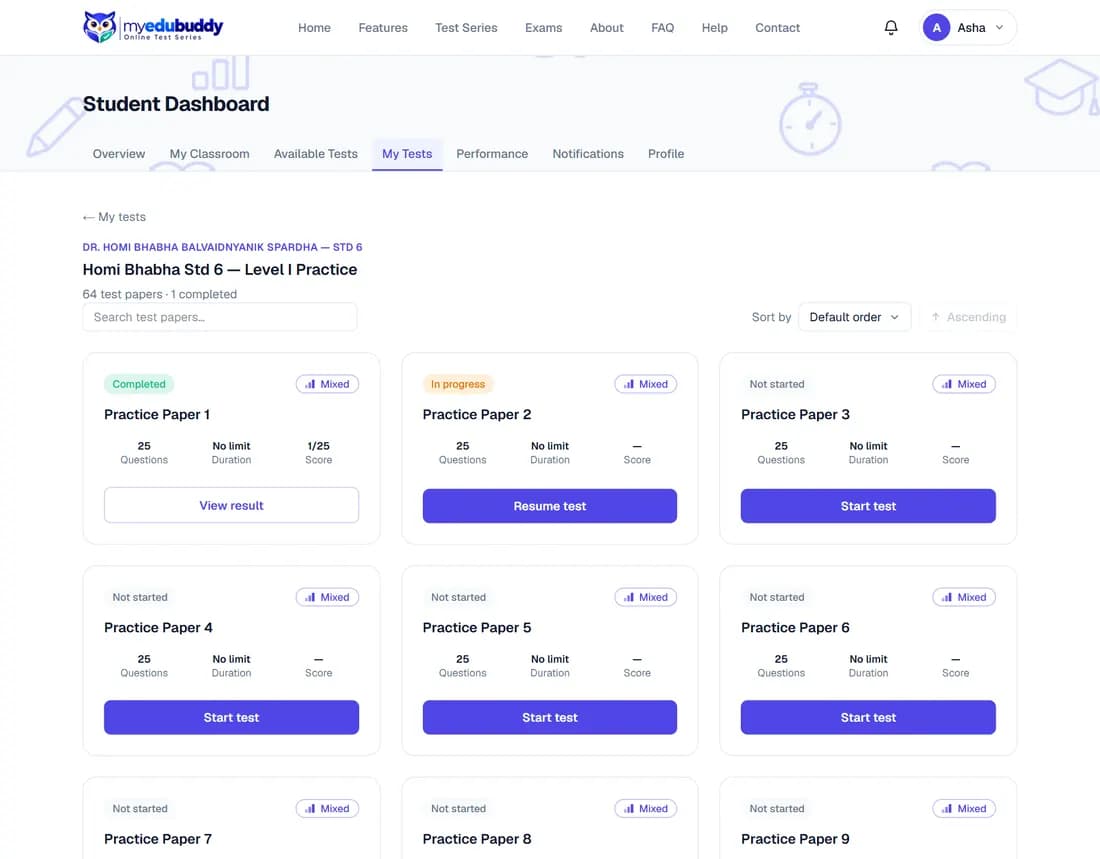
- Step 1: Open My Tests and select View test papers on a series.
- Step 2: Each paper shows its number of questions, its duration and your score if you have taken it.
- Step 3: Use Search test papers and Sort by to find one. At the bottom you can change how many papers show on a page.
- Step 4: Select Start test on a paper you have not taken, or View result on one you have.
While your account is waiting for verification (1.1), only your two open papers have Start test. The others show Locked and "Opens once your account is verified". Choose Sort by: Open papers first to bring your two to the top.
Still stuck? Write to us or read the FAQ. This page follows the User Guide of 22 October 2026.