

Open your classroom
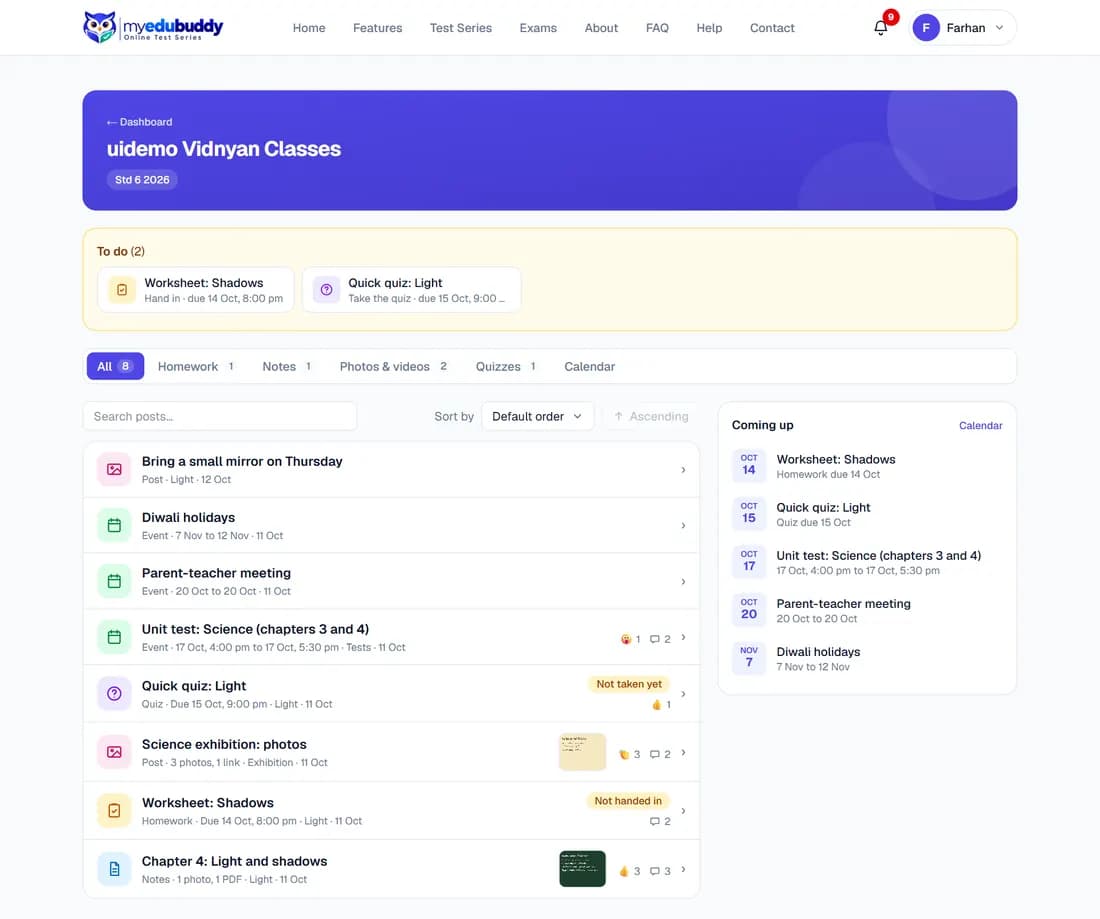
Select My Classroom on the dashboard, or Open my classroom on the Overview.
The first time, the classroom shows the Classroom Code of Conduct in short. Read it (the full Code opens from the link), tick I have read and agree and select Accept and continue. You can read everything before accepting, but you cannot write a message or hand in homework until you have accepted. If the Code changes, you are asked again.
- To do at the top lists homework you have not handed in and quizzes you have not taken.
- The tabs (All, Homework, Notes, Photos & videos, Quizzes, Calendar) filter the list. The number beside each is how many posts it holds.
- Coming up on the right lists the next due dates and events.
- Use Search posts and Sort by to find something.
Still stuck? Write to us or read the FAQ. This page follows the User Guide of 22 October 2026.