

Students
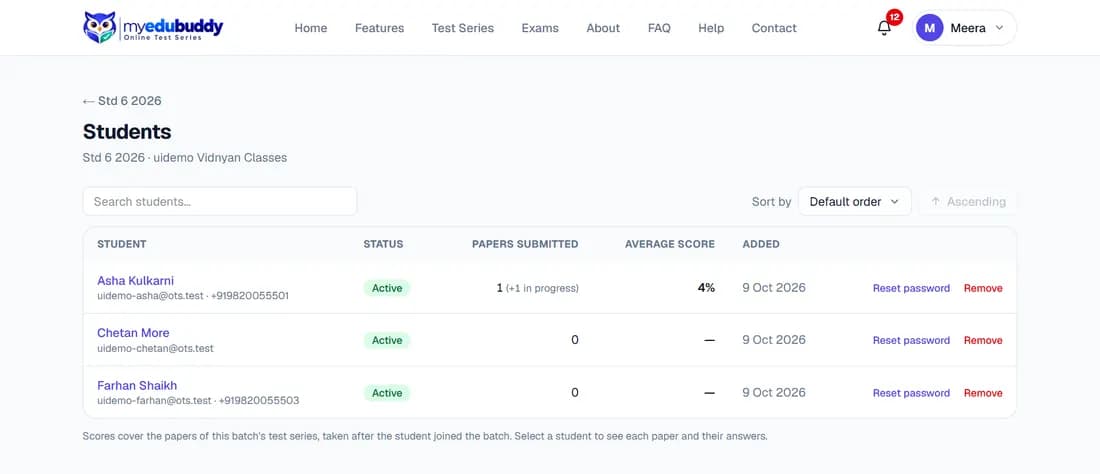
The list shows each student's status, papers submitted, average score and the date they were added. Has not logged in yet means the student still has the temporary password.
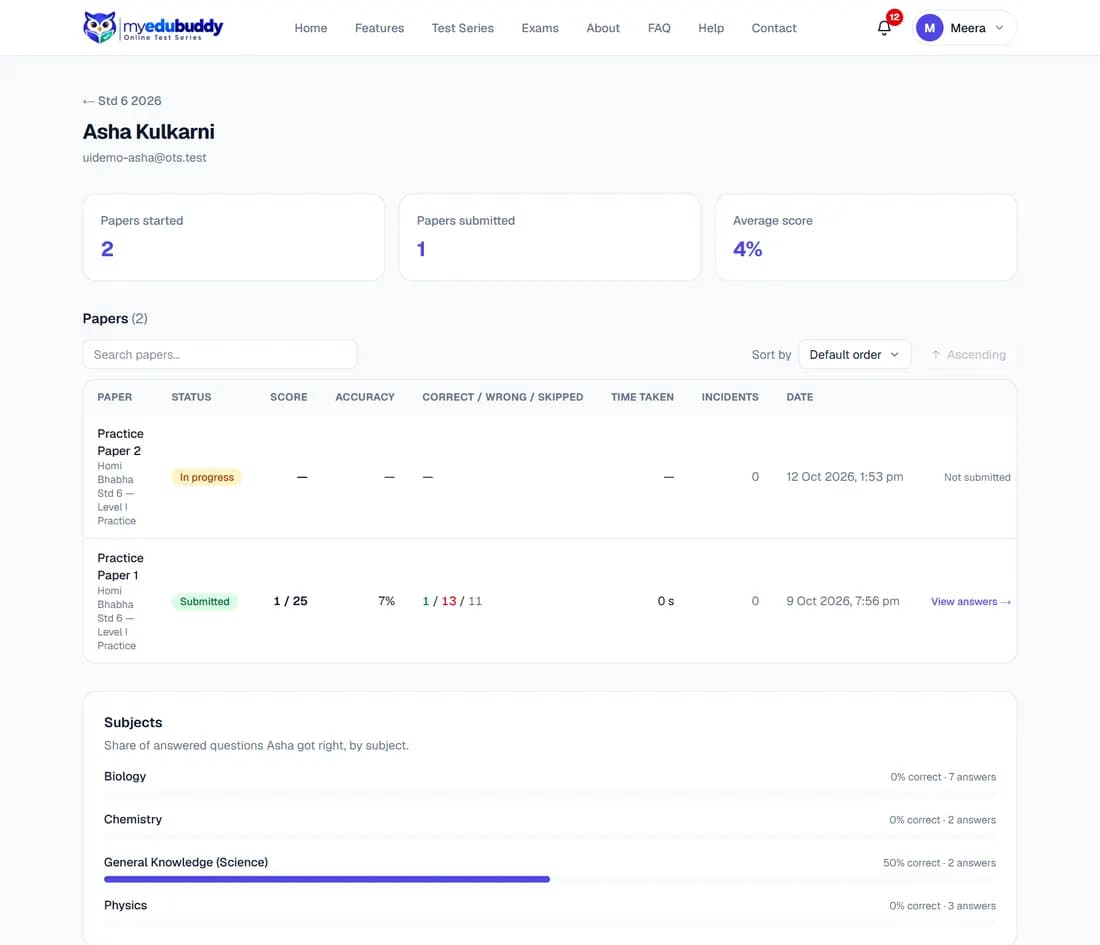
- Select a student to see every paper they started and their accuracy by subject. View answers opens their answer sheet for one paper.
- Reset password gives the student a new temporary password. It is shown to you once: note it and pass it on. This works only for accounts your classroom created; a student who signed up on their own must use Forgot password?.
- Remove takes the student out of the batch. Their account and past results are kept, but they lose the batch's series and posts, and the seat is freed.
- Mute stops a student from writing messages in this batch, under the Classroom Code of Conduct. They can still read posts, hand in homework and take quizzes, and they are told. Unmute lets them write again. A muted student shows Muted in the list.
Reports and the Code of Conduct. You, like every student, accept the Classroom Code of Conduct before you first post in a classroom. When someone reports a post or message, you get a notification with the reason (not who reported it). Open it, and Delete the message if it breaks the Code; deleting it closes the report. Offensive language is refused before it is posted, in posts, messages, homework notes and your remarks.
Still stuck? Write to us or read the FAQ. This page follows the User Guide of 22 October 2026.