

Share something
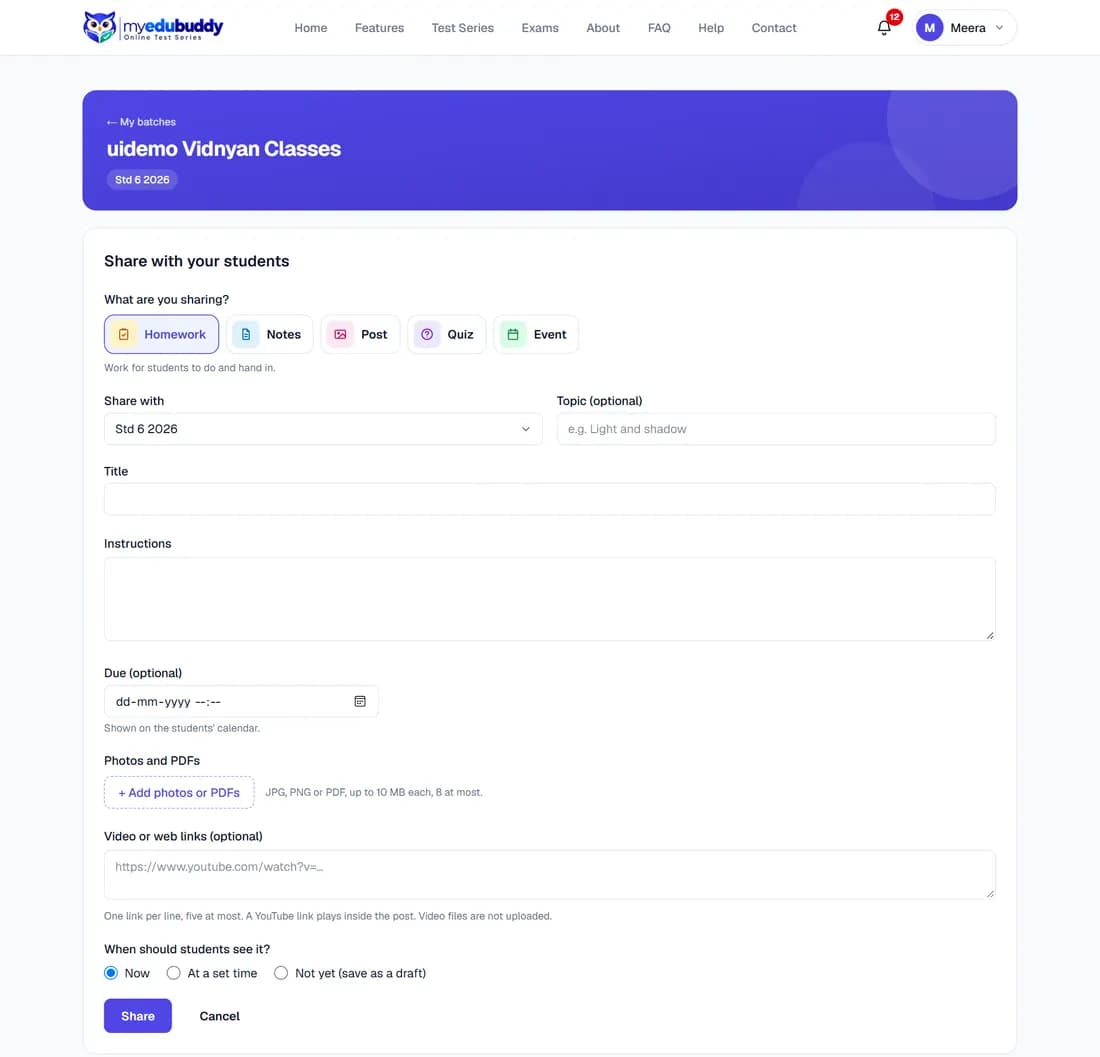
Select + Share something and choose what you are sharing.
| Kind | Use it for | Its own fields |
|---|---|---|
| Homework | Work for students to do and hand in | Instructions, due date, files, links |
| Notes | Notes of a topic taught in class | Text, files, links |
| Post | Photos, a video link or something interesting | Text, files, links |
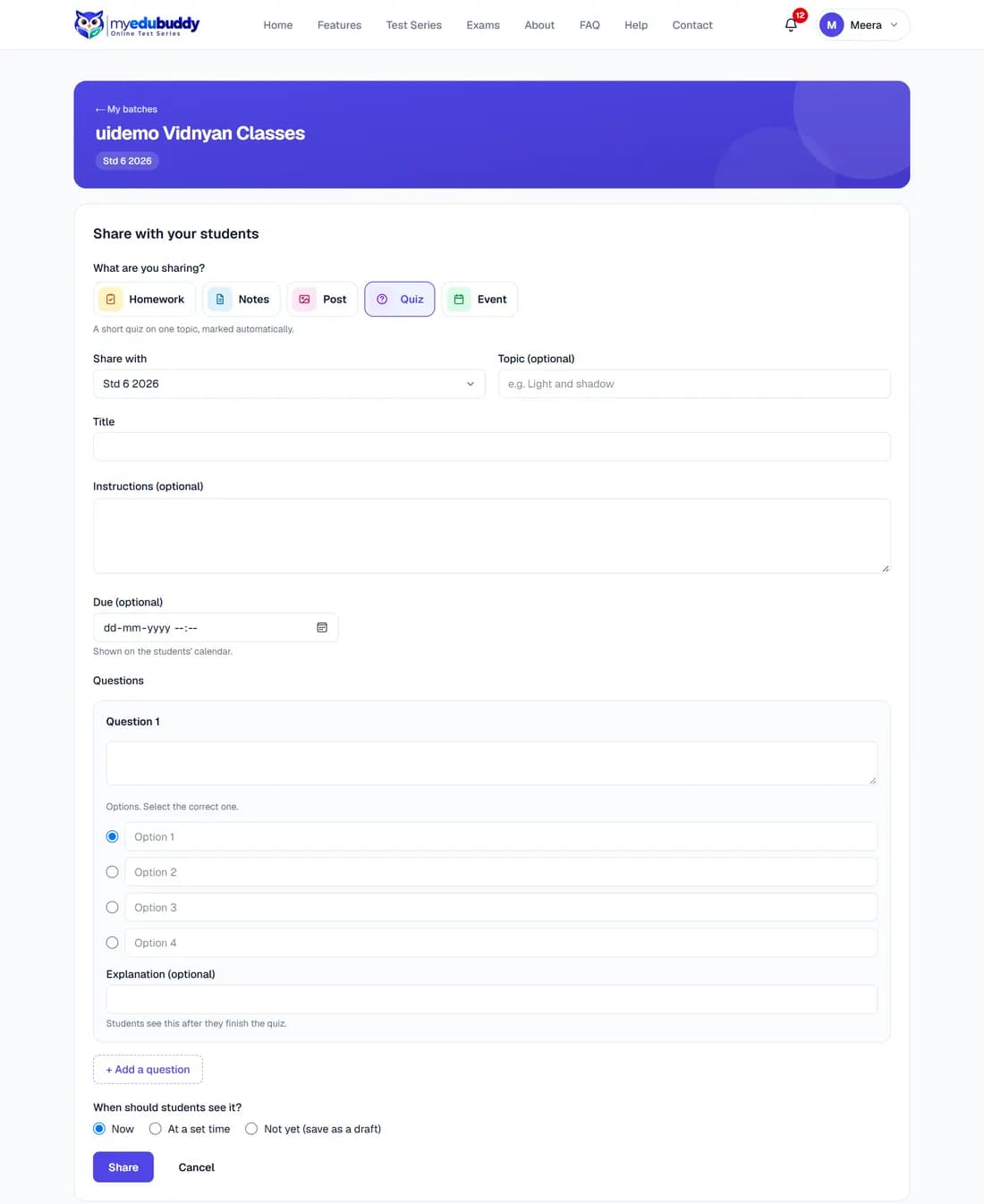
| Quiz | A short quiz on one topic, marked automatically | Questions with options, due date |
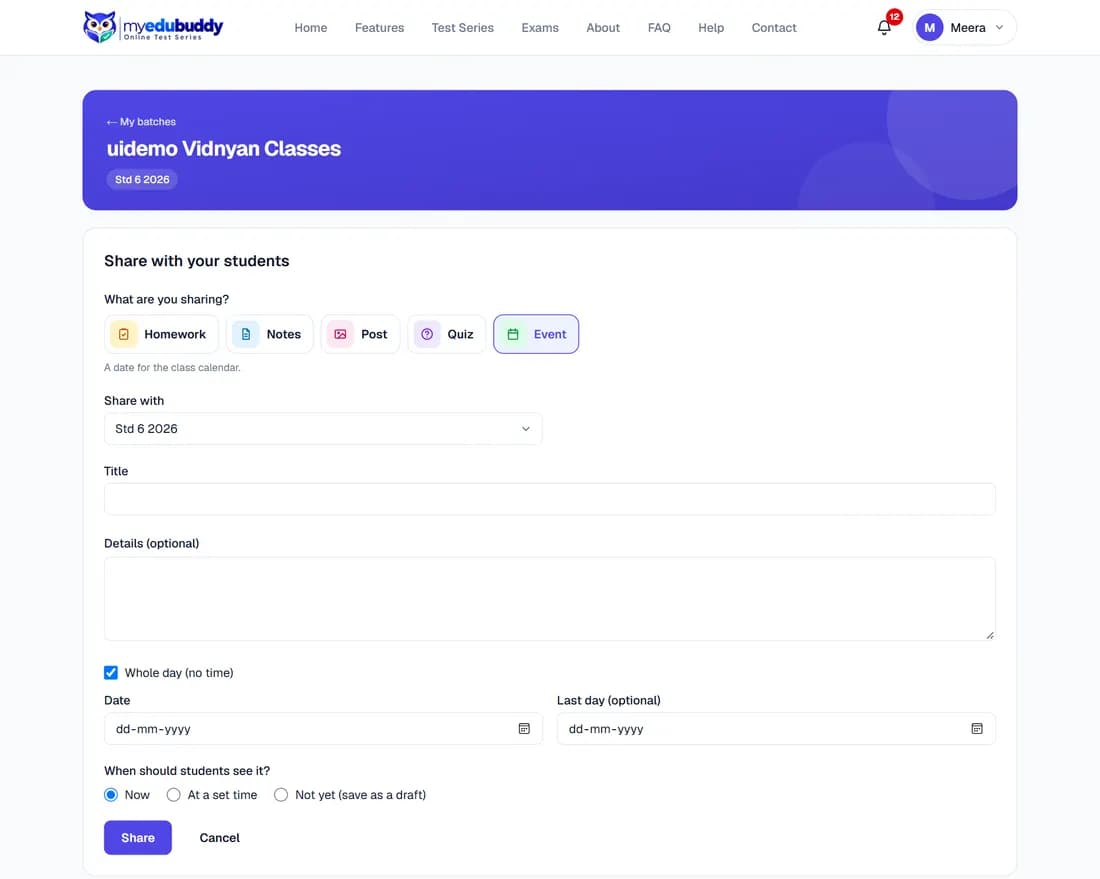
| Event | A date for the class calendar | Date, last day, whole day or a time |
Then fill the form:
- Step 1: Share with: one of your batches, or Whole classroom. The whole classroom includes batches of other teachers.
- Step 2: Topic (optional) and Title.
- Step 3: The text, and + Add photos or PDFs: JPG, PNG or PDF, up to 10 MB each, eight at most.
- Step 4: Video or web links: one per line, five at most. A YouTube link plays inside the post. Video files are not uploaded.
- Step 5: When should students see it? Now, At a set time, or Not yet (save as a draft).
- Step 6: Select Share.
Students are notified when the post becomes visible: at once, or at the time you set.
For a quiz, write each question, type its options, select the correct one and add an explanation if you want. + Add a question adds the next. Students see the explanations after they finish.
For an event, tick Whole day (no time) or give a start and end time. Last day makes it run over several days, such as a holiday.
Still stuck? Write to us or read the FAQ. This page follows the User Guide of 22 October 2026.