

Check homework
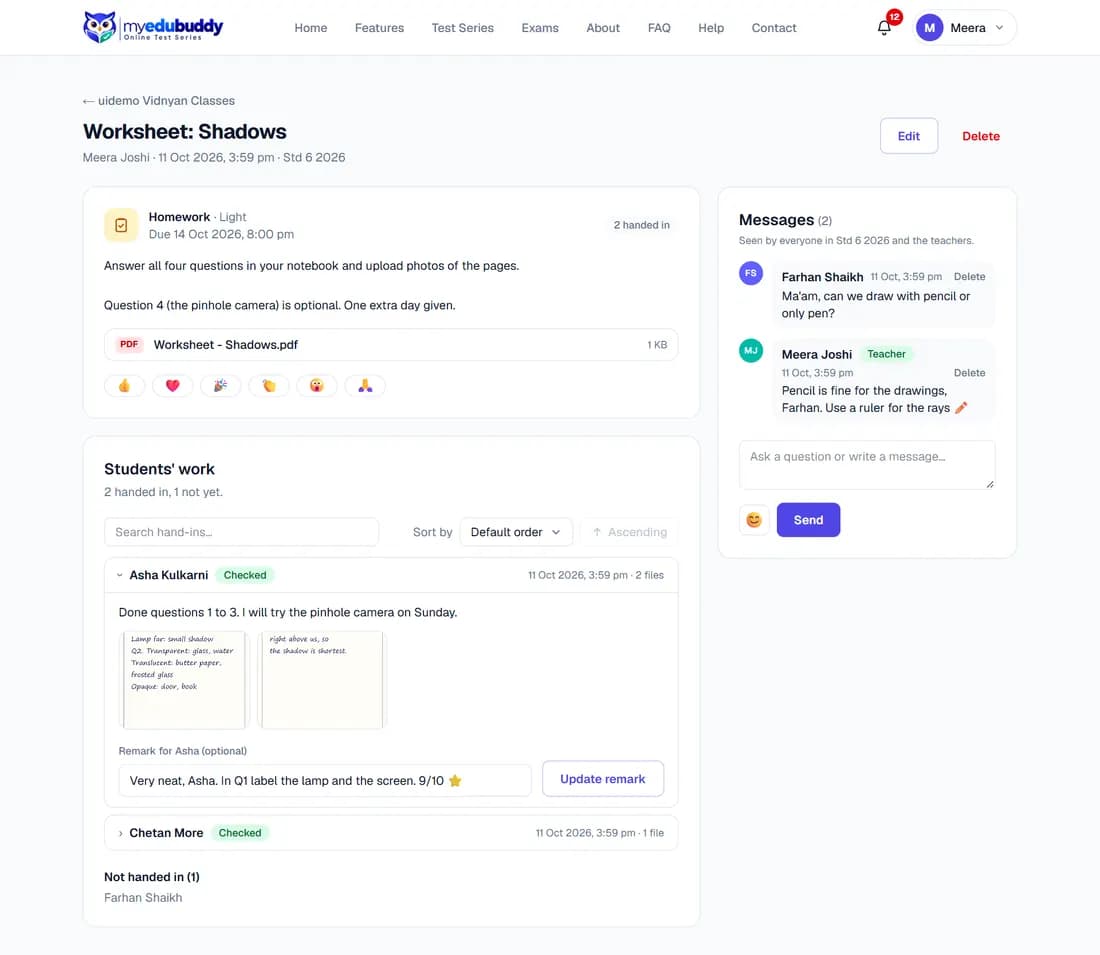
- Step 1: Open the homework. Students' work shows who handed in and who has not.
- Step 2: Select a student to open their files and note.
- Step 3: Type a remark and save it. The student is notified and sees the remark under their work.
Still stuck? Write to us or read the FAQ. This page follows the User Guide of 22 October 2026.